


IELTS on Computer – See What the Exam Looks Like
In Poland, the IELTS test is now available exclusively in the computer-based format. Since January 2026, the paper-based version has been completely withdrawn, which means that all candidates take the exam on a computer. Find out what the test looks like in this format and how to prepare for it.
IELTS (International English Language Testing System) is one of the most widely chosen English language exams in the world. Its computer-delivered version is a modern solution that meets current standards and candidates’ expectations. The test assesses the same skills as before – reading, listening, writing, and speaking.
The computer-based IELTS exam is held at our Centre several times a week, making it easy to choose a convenient test date.
Table of contents:
- What Does IELTS on Computer Look Like?
- What Are the Advantages of IELTS on Computer?
- Exam Structure
- How to Register for IELTS on Computer?
- Key Information About the Exam Format
- Summary
- FAQ
You can read this article in 4 minutes.
What does IELTS on computer look like?
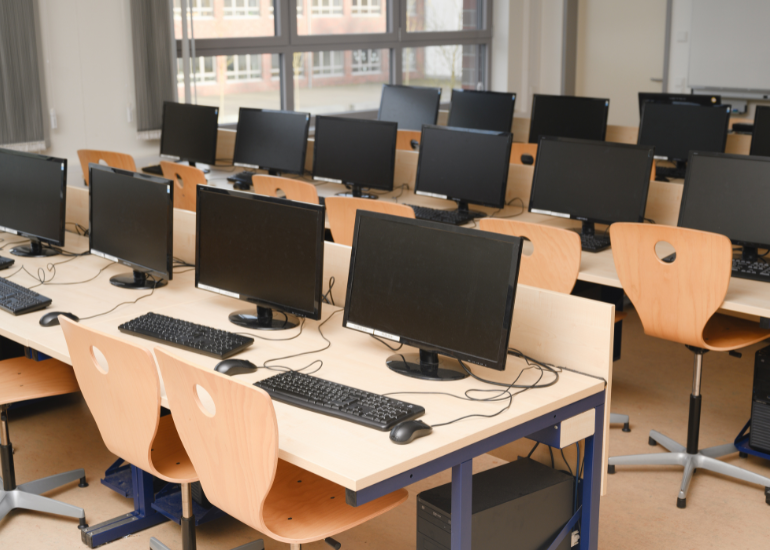
The exam takes place in person at a test centre, using computers provided by the venue. Candidates complete tasks on screen using a keyboard and mouse.
It is a good idea to familiarize yourself with the test format in advance – demo versions are available to help you explore the interface and understand how to answer questions before the actual exam.
Want to know what to expect on test day?
Check out the IELTS computer-based demo and get familiar with the platform you will use during your exam.
What are the advantages of IELTS on computer?
One of the biggest advantages of the computer-based test is the fast availability of results – usually within 1-5 days after the exam.
Additionally:
- More test dates are available (several times a week),
- The Listening section is taken using headphones, improving audio quality,
- A word count is visible on screen in the Writing section,
- A timer showing the remaining time is displayed on the screen.
Exam structure
IELTS on computer consists of four parts:
- Listening (30 minutes) – listening to recordings and answering questions,
- Reading (60 minutes) – analyzing texts and completing comprehension tasks,
- Writing (60 minutes) – producing written responses (e.g. essay, report, or letter),
- Speaking (11–14 minutes) – a face-to-face interview with an examiner.
The Speaking section has not changed – it is still conducted as a direct conversation.
How to register for IELTS on computer?
Registration is quick and completed online. Simply fill in the form on the official IELTS website and pay the exam fee.
After registering, candidates receive confirmation and detailed information about the test.
Exams are held in Warsaw at our test centre located at Aleje Jerozolimskie 133.
Key information about the exam format
Although the test is now only available in the computer-based format, the content and types of tasks remain unchanged. IELTS continues to assess the same four key language skills and follows the same structure.
The main differences lie in how the tasks are completed and the shorter waiting time for results, which is a significant advantage for candidates who need their results quickly.
Summary
IELTS on computer is currently the only available format of the exam in Poland. It combines convenience, modern technology, and fast access to results. With frequent test dates and an intuitive interface, it is well suited to the needs of today’s candidates.
When preparing for the exam, it is worth using online resources and practicing the computer-based format in advance.
FAQ
Can I take notes during computer-delivered IELTS?
Yes. You receive paper and a pencil for notes. In Listening and Reading you can also highlight parts of the text directly on screen. Notes are not marked.
Is there a spell checker in the Writing section?
No. Spell check is disabled and spelling mistakes affect your score. A word counter is shown on screen. It is worth practising writing longer texts on a keyboard without editor suggestions.
Is there time to transfer answers in Listening?
In the computer-delivered test you type your answers directly on screen, so there is no separate transfer time. Instead, you get a short time at the end to check all your answers.
Can I go back to earlier questions?
Yes. Within each section you can move freely between questions and change your answers until time runs out. You can also flag questions you want to return to.
Can I adjust the screen settings?
Yes. The platform lets you change settings such as font size and colour contrast. It is worth trying these options in the demo beforehand so you don’t lose time on test day.